I talk much faster than I type. On a phone the gap is worse, and it is worse again when I switch languages halfway through a sentence. The dictation built into most keyboards either sends every word to a server I do not control, or falls apart at the switch.
So I built my own. BabbleScribe is private voice typing for Android. You speak, it writes, and you decide where your voice goes. It has no account, no ads and no analytics. If you read the first version of this post, the app was called BabbleFlow back then. Same app, new name, and it is now heading to Google Play.
Screenshots are rendered from the app with made up notes.
Three ways to be heard
The first screen asks one question: how should BabbleScribe hear you? Every answer is a real choice about where your audio goes.
- On my phone. Download a speech model once (Whisper, Parakeet or Moonshine, around 100 MB) and dictate offline. No key, no account, nothing leaves the phone.
- My cloud key. Bring your own key for OpenAI, Groq, OpenRouter, ElevenLabs speech to text or any OpenAI compatible service. Your audio goes to that company and nobody else. I never see it, because I do not run anything in the middle.
- My own server. Pair a GPU box you run yourself with a setup code. Mine sits at home and runs Whisper large v3, a speech model tuned for one of my languages, and a small Gemma model for cleanup.
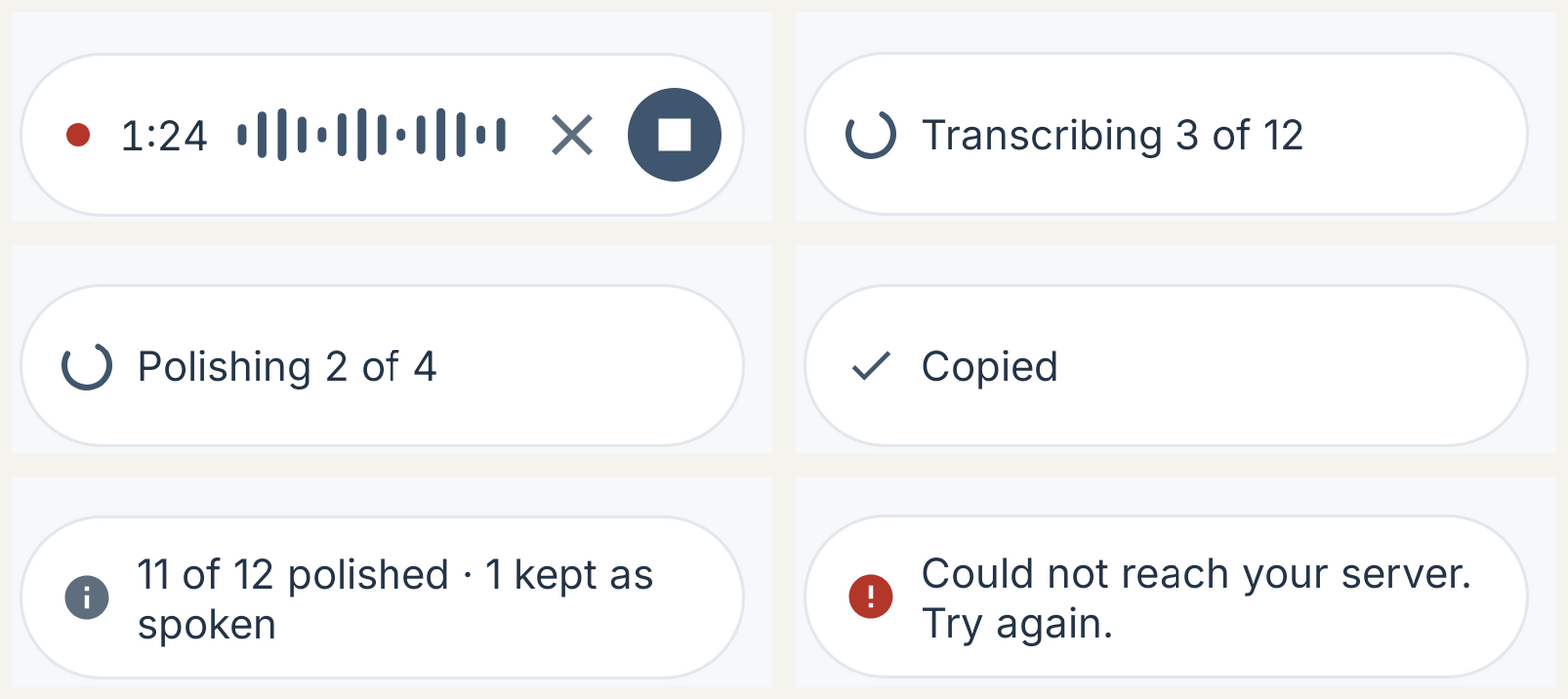
You do not have to pick only one. The Speech flow puts providers in an order you choose, for example my server first, then Groq, then the phone. If a step cannot take a dictation (offline, out of credits, rate limited, server busy), BabbleScribe quietly moves to the next one and tells you in one short line which provider handled it.
Dictate anywhere
Recording inside the app is the easy part. The useful part is getting words into whatever you are typing in.
- A voice keyboard. A keyboard with a microphone and almost nothing else. Switch to it from HeliBoard, FUTO Keyboard or any keyboard with a mic key, talk, and the text lands in the field. It never records in password fields, never touches the clipboard, and treats incognito fields as private.
- A floating mic. An optional pill that floats over other apps and types into the field you are in. It uses Android's Accessibility service, so it is off until you turn it on, and the privacy policy spells out what it reads and what it never reads.
Private by default, not by promise
Privacy claims are cheap. These are the ones the code enforces.
- Your history stays on the phone, encrypted. Transcripts and the original audio are encrypted at rest. History is hidden from screenshots and screen recording.
- Your keys stay in the Android Keystore. They are never exported in backups or shares.
- "Phone and my server only" is a real switch. While it is on, audio never goes to a cloud provider. A server that only claims to be on your network (a
.local,.lanor Tailscale name) is checked at connect time: if the name resolves to a public address, nothing is sent. - Private takes stay private. A private session skips History and Insights, and never sends text to a cloud model for polishing.
- A new address needs a new yes. A provider only joins your flow after you tap "Add to flow" on a sheet that says where your audio will go. Change its address later and its steps pause until you agree again.
- Backups are yours. Encrypted backup and restore to any folder you pick, with a recovery key only you hold.
Polishing, and the "20 minutes, no, 10 minutes" bug
Raw transcripts read like raw speech: no punctuation, a few "um"s, the odd false start. BabbleScribe can optionally pass the transcript through a text model you choose for a light cleanup. It is a faithful cleanup, not a rewrite: it adds punctuation and paragraphs, drops fillers, and keeps your wording. Every answer is checked before you see it. If the model invents a number, adds an AM or PM you never said, loses a "not", or drifts too far from what you said, the app throws the result away and keeps your original words.
This week I dictated:
"Hey, can we schedule a meeting in 20 minutes? No, no. 10 minutes."
I expected "Hey, can we schedule a meeting in 10 minutes?" I got both numbers back, neatly punctuated.
Two things were wrong, and only one of them was the model.
- The instructions argued with themselves. One clause said to apply spoken corrections. Three louder ones said to never remove words, to preserve every number, and that "a meeting at seven stays a meeting at seven." A careful model like Claude Haiku took the safe reading and kept everything.
- The safety check threw away correct answers. The check that stops a model from dropping a "not" only treated "no" as a correction when it started a sentence. So "the meeting is with Sarah, no no, with Priya" cleaned to "the meeting is with Priya" was rejected as a lost negation, and the raw text came back.
I built a small test set before touching anything: 21 dictations where a correction should be applied (numbers, names, days, units, and a few in Tamil with "இல்ல", which means roughly "no"), and 17 look alikes that must survive untouched, like "not 20 but 10 people came" and "sorry I'm late, I'll be there in 10."
| Corrections applied | Look alikes left alone | |
|---|---|---|
| Old instructions, old check | 11 of 21 | 17 of 17 |
| New instructions, new check (3 runs each) | 62 of 63 | 51 of 51 |
The fix was boring in the best way: state the correction rule plainly with examples, say that "preserve numbers" means never invent or change one, not keep the one you took back, and teach the check to recognise a correction "no" by its shape. The check still rejects "there is no problem" turning into "there is a problem," and it got stricter elsewhere: a stray "actually" no longer excuses a dropped "not."
What is in the app
- On phone models for offline dictation in many languages
- Bring your own speech service: OpenAI, Groq, OpenRouter, ElevenLabs speech to text, any compatible API, or your own server
- One connection, many models: the same OpenRouter key can run Whisper for speech and a different model for polishing
- Optional faithful cleanup with a provider you choose, off by default
- Encrypted History with search, pins, edits, export and private sessions
- Insights computed on the phone: words per week, streaks, speaking pace, most used words in each language
- Encrypted backup and restore with a recovery key
Coming soon
BabbleScribe is heading to Google Play, starting with a closed test. I will post here when it opens up.
If you would like to help test it before launch, get in touch with me on LinkedIn.
What is next
- Seeing both versions of a note. Open any note and compare the original text with the polished text.
- Transcribing a saved recording again with another model, and keeping each version side by side.
- Suggested titles for longer notes.
- A usage page that shows each provider's calls, time and cost, so you can see where your voice went and what it cost.
Once you can try it, I would love to hear what you dictate with it, and what it gets wrong.
BabbleScribe is not affiliated with ElevenLabs, OpenAI, OpenRouter, Groq, Anthropic or Google.
Discussion (0)